Recall, in your pocket.
Your brief, your chats and your approvals, wherever you are.
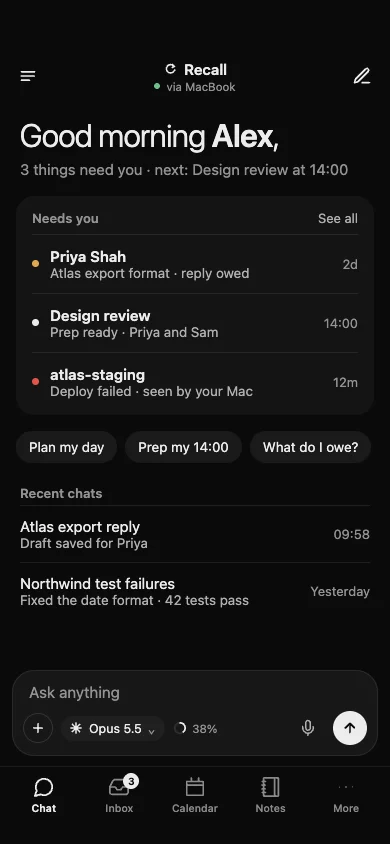
Your brief, on the go.
Replies owed, who you are waiting on and today, the same as on your Mac. Pick up a chat, ask a question, or start a new one.
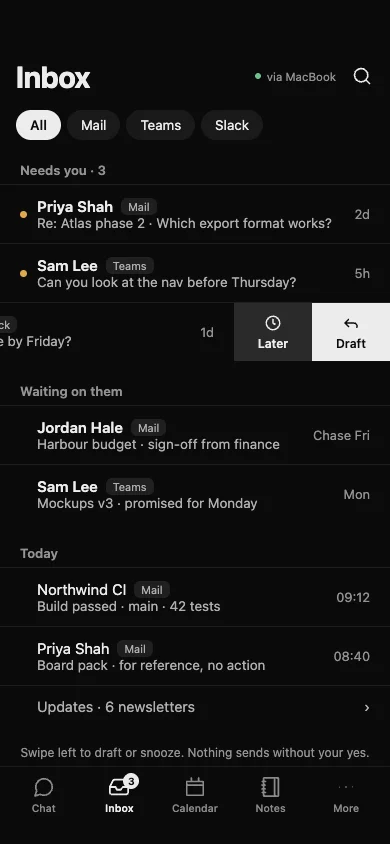
Your inbox, calmer.
Needs you first, then who you are waiting on, then today. Mail, Teams and Slack filters sit above the list. Swipe left to draft a reply or snooze. Nothing sends without your yes.
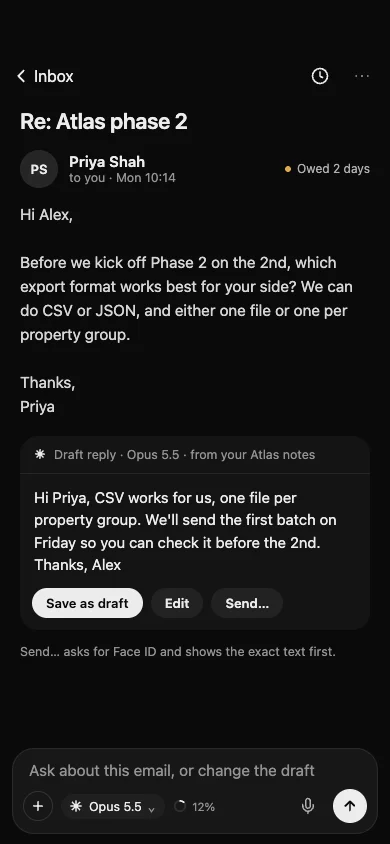
Read it, ask about it.
Open an email and ask about it, or change the draft. Recall drafts from your notes; Send asks for Face ID and shows the exact text first.
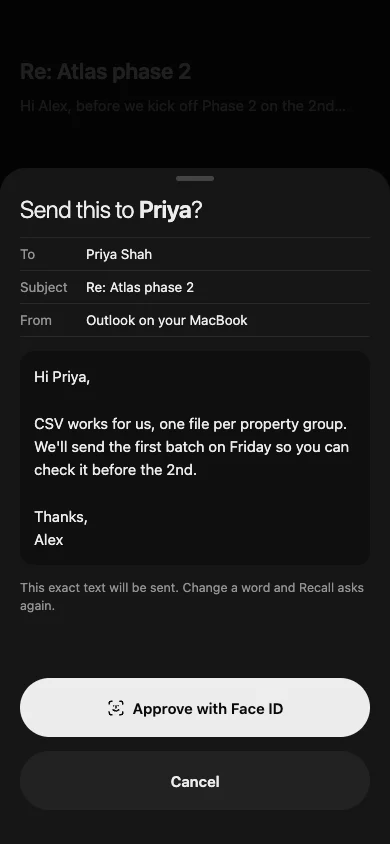
Approve with Face ID.
Drafts never send without your yes, and you can say yes from your phone. You see exactly what will be sent. Change a word and Recall asks again.
Chat from anywhere.
The same chats as your Mac, running on your MacBook. Start on the train, pick up where you left off at your desk.
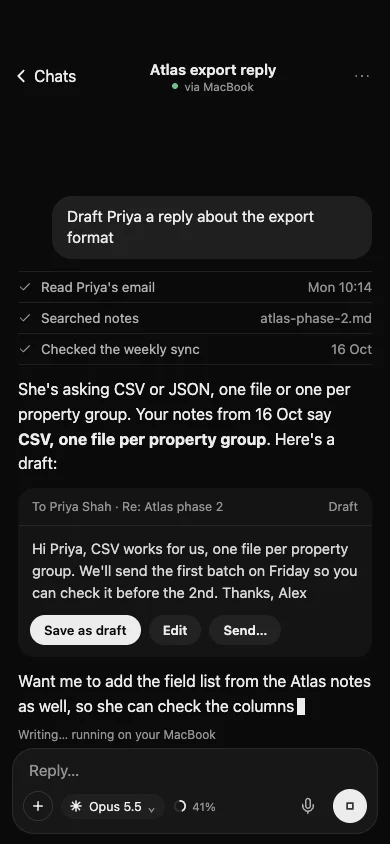
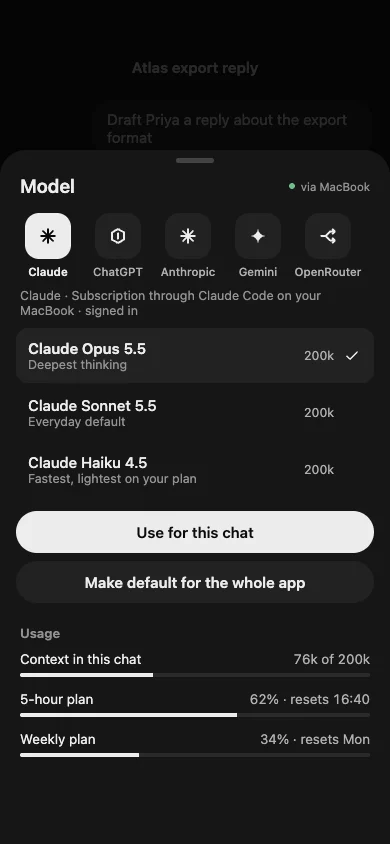
Pick the model.
Choose the engine and the exact model for a chat, or make it the default for the whole app. Context used and plan left are on the sheet.
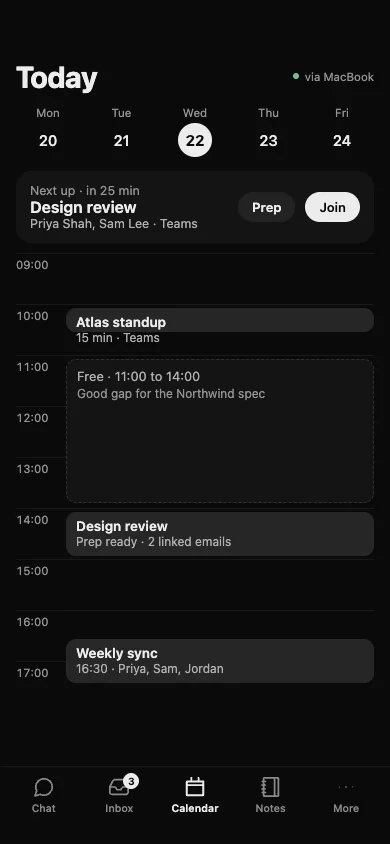
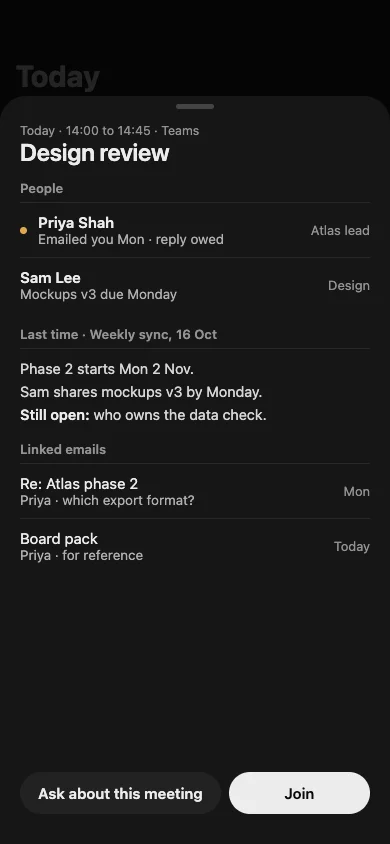
Your day, prepared.
A week strip, your next meeting with Prep and Join, and the gaps in between. Prep shows the people, what was said last time and the linked emails.
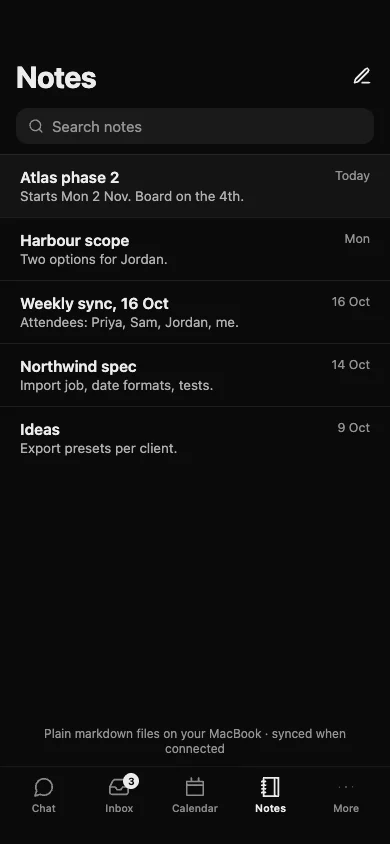
Notes, as plain files.
Your notes are markdown files on your MacBook. The phone shows them, searches them and saves changes back when it is connected.
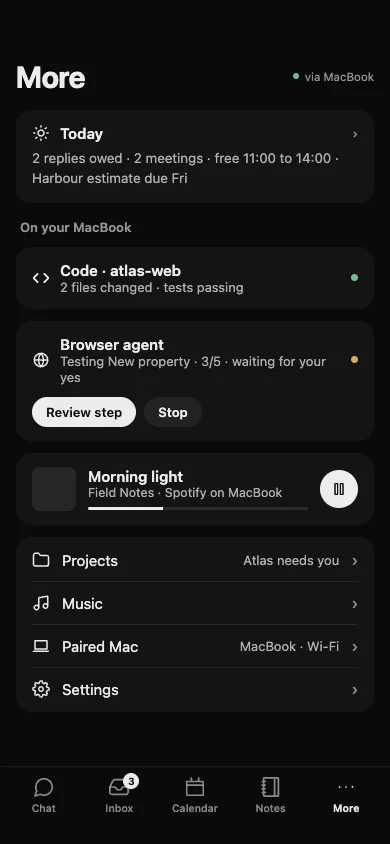
Your Mac, in your hand.
The More tab shows what is running on your MacBook: Code, the browser agent waiting for your yes, and music. Projects and Settings are one tap away.
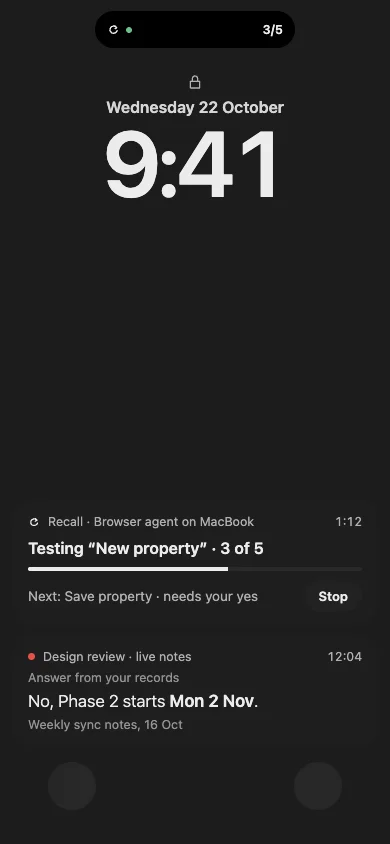
On the lock screen.
The island and live activities show what an agent is doing and answers from your records during a meeting, without unlocking.
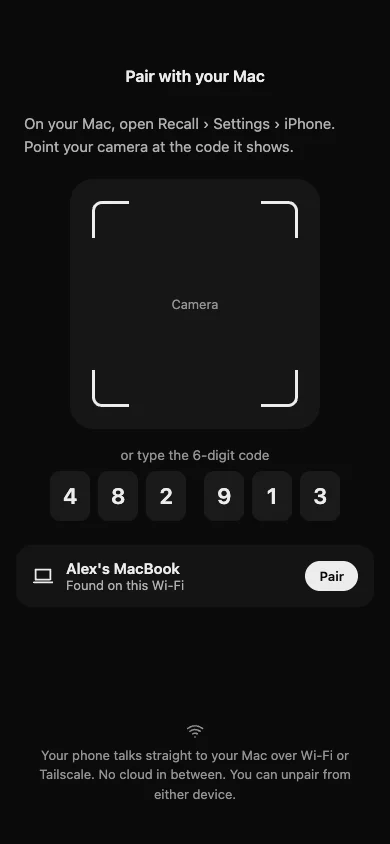
Pair once, no cloud.
In Recall on your Mac, open Settings, then iPhone. Point your phone at the code, or type the six digits. Your phone talks straight to your Mac over Wi-Fi or Tailscale. You can unpair from either device.
Recall can call you.
When something important happens, a key client emails, a server goes down or a meeting is starting, your iPhone rings like a FaceTime call. Recall tells you out loud, and you can talk back.